
EveryParent
Children's Services Council of Palm Beach CountyParenting
4.430.00 Reviews
- Version
- 15.0.0.0-prod
- Installs
- 10.00K
- Age Rating
- Everyone
Screenshots

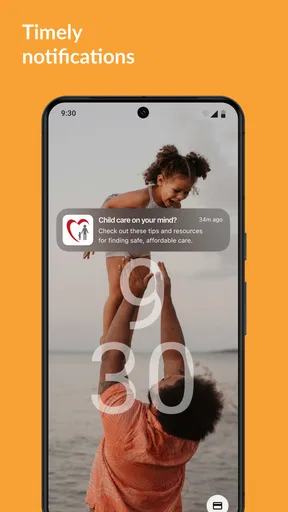
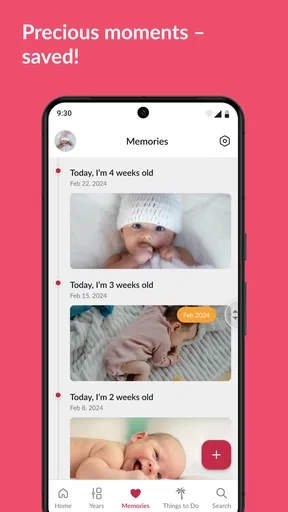

Our Review of EveryParent
 Analysis by Appyee
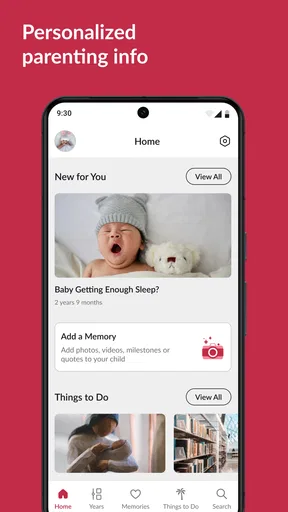
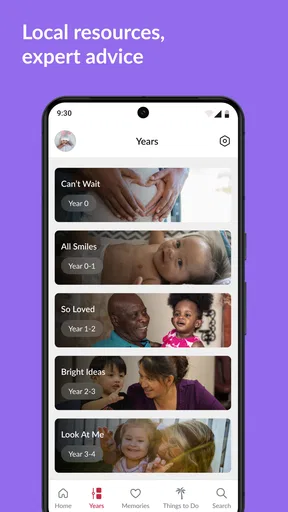
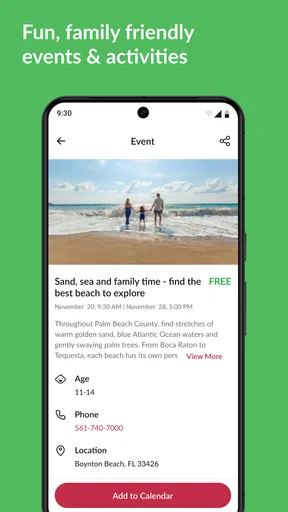
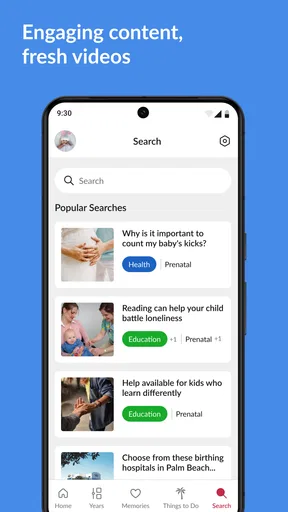
Parenting advice is easy to find in general, but local help is much harder to replace. That is the reason I found EveryParent more useful than a typical parenting content app: it is built around families in Palm Beach County, Florida, rather than trying to speak to every parent everywhere. The difference becomes clear when I am looking for nearby information, local family resources, or guidance that makes sense in the community where I actually live.
This is a free parenting app from the Children’s Services Council of Palm Beach County. It is aimed at everyone, and its focus is practical local information rather than entertainment or a broad social network. The app has been available since April 27, 2017, and its current version is 15.0.0.0-prod for devices running operating system version 10 or later. Those details matter because this is not a brand-new experiment; it is a longstanding local resource that has had time to become part of a family’s routine.
My overall impression is positive, with one important qualification: the app is most valuable when I have a live connection and a specific local question. It is not the best replacement for a general parenting book, an emergency service, or a private family calendar. Instead, I see it as a local doorway into information that can otherwise be scattered across websites, flyers, community pages, and conversations with other parents.
How EveryParent works when a connection is available
The strongest part of the experience is the way connectivity supports discovery. When I open a local parenting resource, I am usually not looking for something abstract such as “how to be a better parent.” I want to know what is relevant around Palm Beach County, what kind of help exists, or where to begin when a child’s needs change. An internet-connected app can bring those local details together more conveniently than a collection of browser tabs.
That also explains why this app feels different from national parenting platforms. A large general app may offer more articles, discussion threads, or personalized content, but its advice can remain broad. EveryParent’s local identity gives it a narrower purpose and, in my view, a more useful one for families who live in the county. The trade-off is obvious: someone outside the area will gain much less from it, even if the subject of parenting is universally relevant.
I would use it during moments when I have a few minutes and a concrete need. For example, imagine a parent waiting in a school pickup line who suddenly realizes that a child needs support beyond what the family can handle alone. Instead of searching the whole web with vague terms, the parent can turn to a resource designed for local families and start from a more relevant place. That does not remove the need to check details or contact an organization directly, but it can shorten the path from concern to a possible next step.
The key strength is local orientation, not endless content. I would not judge this app by whether it can replace every parenting resource on a phone. I would judge it by whether it makes Palm Beach County information easier to reach at the moment it is needed. On that narrower test, it has a clear reason to exist.
Why mobile access changes the usefulness
Parents rarely research only when they are sitting comfortably at a desk. They look things up between errands, before an appointment, while managing a child’s schedule, or during a quiet moment after bedtime. A mobile app suits those conditions better than a printed guide because it is already close at hand and can be checked without planning a separate research session.
I especially appreciate the possibility of using it as a preparation tool rather than waiting for a crisis. A parent can browse local information while the household is calm, note which resources appear relevant, and then return when a real need arises. That workflow is more sensible than opening an app for the first time while feeling rushed. It also helps turn local knowledge into something practical rather than something that remains hidden in a long list of web searches.
There is a small but important distinction between mobile convenience and instant answers. A phone makes access easier, but the app still depends on the quality and freshness of the information it presents. I would treat it as a starting point for decisions, not as permission to skip direct confirmation. Opening a listing or reading guidance is one step; checking availability, eligibility, location, and timing with the relevant provider may still be necessary.
This is also where the app’s age rating makes sense. It is suitable for everyone, but that does not mean every piece of information will be equally useful to every household. Parents of babies, school-age children, teenagers, and children with different needs will approach the resource differently. The broad audience makes it approachable, while the local focus gives it practical value for the people it is intended to serve.
The moments when connectivity becomes a limitation
The same connection that makes current local information accessible can become a point of friction. If I am in a place with weak service, moving between locations, or trying to conserve mobile data, I cannot assume that every part of the experience will be equally smooth. Pages may take longer to appear, and a resource that feels simple at home may be less convenient while I am out with a child.
For that reason, I would not wait until I am standing outside an unfamiliar location to begin researching. A better habit is to look up useful information in advance, read the relevant details while the connection is reliable, and keep any important contact or appointment information in a form I can access later. This is not a criticism unique to EveryParent; it is the practical reality of using a connected local-information tool on a phone.
Connectivity also affects how patient I am with navigation. When an app is loading quickly, browsing feels relaxed. When I am holding a child’s hand or trying to leave a parking lot, even a short delay can feel inconvenient. I would therefore use it for planning and discovery more often than for split-second decisions. For urgent situations, I would contact the appropriate emergency or professional service directly rather than depending on an app to guide the response.
Recovering when a search does not go smoothly
A useful local app should fit into a recovery plan. If a page does not load, I would first check the connection, try again from a more stable location, and avoid repeatedly tapping buttons while the phone is still processing. If the issue continues, switching to the organization’s direct contact route or a normal web search may be faster than staying inside the app.
My practical advice is to avoid treating one failed loading moment as proof that the resource itself is unusable. Mobile connections vary, and local information can involve several separate pages or services. At the same time, I would not keep struggling indefinitely. The app is valuable because it should simplify access, not because I need to defend it against every technical problem.
This is one reason I like the idea of using EveryParent before a need becomes urgent. If I have already explored the kind of local help I may need, a temporary connection problem is less disruptive. I may already know the name of a service or the general route to follow. In other words, the app works best when it supports preparation, not when it is the only thing standing between a family and an immediate answer.
Using it without wasting mobile data
Families who monitor data use should approach the app thoughtfully. Browsing local information is different from constantly streaming media, but repeated refreshing, opening many pages, or using the app while traveling can still make a difference on a limited plan. I would begin on Wi-Fi when possible, especially if I am exploring rather than looking for one specific resource.
A simple routine helps: search with a clear question, open only the most relevant results, read the details carefully, and record information that I may need later. That is more efficient than scrolling aimlessly through every available section. It also makes the app feel less like a feed that demands attention and more like a local reference tool that I consult with a purpose.
I would also avoid assuming that a screen I viewed earlier will always be available in the same way later. Connected information can change, and an app may need to retrieve it again. If a detail is important, such as a phone number, address, eligibility condition, or operating time, I would verify it before setting out. This habit protects against both connection problems and changes in local services.
Parents who want a completely self-contained reference library may find this approach frustrating. A downloaded book or saved document can be easier when traveling or when service is unreliable. EveryParent’s advantage is the local context; its disadvantage is that local context is most useful when the phone can reach the current resource.
Who will benefit most from the local focus
I would recommend EveryParent first to families living in Palm Beach County who want a central place to begin exploring parenting support and community information. It is also a sensible choice for a new resident who has not yet learned which local organizations, programs, and services are available. The app can help reduce the feeling that every answer requires starting from zero.
It may also suit relatives, caregivers, and adults who help raise children but are not always familiar with the county’s resources. A grandparent looking after a child, for instance, may need a local point of reference rather than a national article written for a different community. The app’s broad age rating keeps it approachable, while its purpose remains focused on family life.
I would be more cautious recommending it to someone who lives far outside Palm Beach County. The parenting subject may still be interesting, but local relevance is the reason to choose this app over a general alternative. Likewise, parents seeking a private communication space, detailed developmental tracking, or a comprehensive family organizer should look elsewhere. EveryParent is not trying to be all of those things, and expecting it to function that way would lead to disappointment.
How it compares with familiar alternatives
The usual alternative is a search engine. Search is broader and often faster for a very specific question, but it can mix local and national results, outdated pages, commercial material, and advice that does not match the county. EveryParent offers a more focused starting point, which can reduce the work involved in deciding whether a result is relevant.
Another alternative is a national parenting app or online community. Those services may provide more conversation, personalization, or specialist content. They can be better when I want peer discussion, long-form education, or tools that follow a child’s development over time. EveryParent is better suited to the local-resource question: what is available here, and where should I begin?
Printed community guides have a different advantage because they do not depend on a live connection once they are in my hands. However, they can become outdated, get lost, or require me to know where to find them. A phone-based local resource is easier to carry and revisit, but I still need to confirm important details before relying on them.
That comparison leaves me with a clear trade-off. EveryParent is narrower than a national platform and less universal than a search engine, but its local focus is precisely what makes it useful. I would keep it alongside broader tools rather than treating it as a total replacement.
What the ratings and history suggest
The app holds a 4.4 average from around ninety-nine ratings, with around thirty written reviews, and has passed ten thousand installs. Those figures suggest that it has found a real audience, although I would not use popularity alone to decide whether it belongs on my phone. A local app can be highly useful to the right family without needing the reach of a global service.
Its release history also gives me some confidence that the project has staying power. The developer is the Children’s Services Council of Palm Beach County, which fits the app’s community-specific purpose and helps explain why it feels different from a commercial parenting product. I value that clear connection between the organization behind the app and the families it serves.
Still, a good rating cannot answer every practical question. My own decision would depend on location, current needs, and tolerance for connected browsing. I would install it because it is free and locally focused, then judge its place in my routine by how quickly it helps me reach information that applies to my family.
My verdict on staying connected
EveryParent is a worthwhile free app for Palm Beach County families who want local parenting information close at hand. Its strongest use is planned, purposeful browsing: finding a relevant local starting point, learning what kinds of support exist, and preparing for questions before they become stressful. The mobile format makes that easier during ordinary family life, while the connected nature of the experience means I should plan around weak service and verify important details.
I would skip it if I lived outside the county, wanted a full parenting tracker, or needed an offline reference that works independently of network access. For those needs, a general parenting app, a saved document, a book, or direct contact with a professional may be a better fit.
For the intended audience, though, I think the app earns a place on the phone. I would use it as a local map of possibilities rather than an authority that makes every decision for me. That balance is important: EveryParent is most helpful when it turns a vague local parenting question into a practical next step, while leaving the final confirmation and personal judgment with the family.
Verdict
Strengths of EveryParent
- Centralizes school updates, activities, and family information in one place.
- Useful tools help parents organize routines and stay involved.
- Supports communication between parents, schools, and community programs.
- Can reduce missed announcements, events, and important reminders.
- Family-focused design is generally easy for busy parents to navigate.
Limitations of EveryParent
- Some features may depend on participation from your child’s school or organization.
- Frequent notifications can feel overwhelming without careful settings management.
- Account setup may require personal and family information.
- The app’s usefulness varies by location and available local services.
- Some users may find certain features limited without an active subscription.
Similar Picks in This Category
View All
Family Space
Motorola Mobility LLC.3.9

شرطة الأطفال - مكالمة وهمية
Oub Apps4.1

Findmykids: Parental Control
LETEM LTD4.6

Pregnancy + | Tracker App
Philips Electronics UK Limited4.8

Policía de niños - para padres
Kids police4.7

Pregnancy App
Amila4.9
Frequently Asked Questions
What is EveryParent and who is it designed for?
EveryParent is a family-focused parenting app designed to help parents organize routines, discover age-appropriate activities, and find practical information for supporting children as they grow. It is most useful for parents, caregivers, and guardians who want guidance in one place, although the exact content and available features may vary depending on location, child age, and the version installed.
What features can parents use in EveryParent?
EveryParent may include parenting articles, developmental guidance, family activities, reminders, planning tools, and recommendations intended to make everyday parenting easier. The app is generally presented as a resource rather than a replacement for professional care. Before relying on any advice, users should review the information carefully and confirm whether specific tools or content are available in their region.
Is EveryParent free to download and use?
EveryParent can generally be downloaded without an upfront charge, but availability of individual features may depend on the current app version, region, or account requirements. Some services may also be provided through partnerships or connected programs. Check the Google Play Store or Apple App Store listing before downloading to confirm pricing, subscriptions, in-app purchases, and any limitations that apply to your device.
Does EveryParent collect personal or family information?
Because EveryParent is intended for families, it may request information such as a parent or caregiver profile, children’s ages, preferences, location, or account details to personalize recommendations and services. The exact data collected depends on how the app is used. Parents should read the current privacy policy, review permission requests, and avoid entering unnecessary sensitive information.
Can EveryParent replace advice from a doctor, teacher, or childcare professional?
No. EveryParent should be treated as a helpful parenting resource, not as a substitute for medical, developmental, educational, or emergency advice from a qualified professional. Information in the app may be general and may not reflect your child’s individual circumstances. If you have concerns about a child’s health, safety, behavior, or development, contact an appropriate professional directly.
